Best AI Image Generators for Business in 2026: Midjourney vs DALL-E vs Firefly vs Ideogram vs Leonardo vs Stable Diffusion
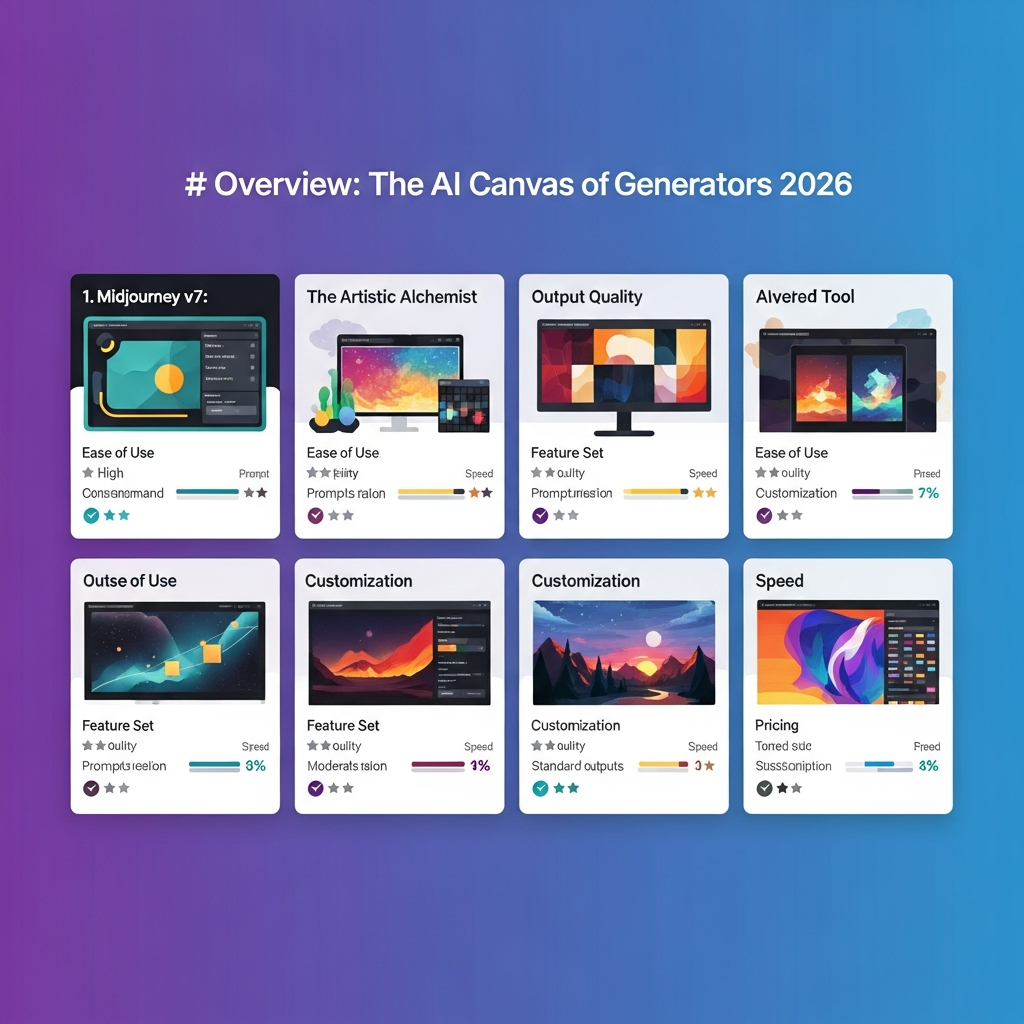
Most AI image generator roundups still answer the wrong question. They ask, "Which one makes the prettiest image?" Commercial buyers usually need something more practical: Which one fits my workflow, my budget, my legal risk tolerance, and my team structure?
That changes the leaderboard fast.
A DTC brand producing 400 product images a month should not choose the same tool as an agency building high-concept campaign mockups. A social team that needs fast text-heavy graphics should not shop the same way as an enterprise design org that needs indemnification. And a product team embedding image generation into software should absolutely not buy like a solo creator generating in a browser tab.
In 2026, the market is mature enough that the right choice depends less on raw model hype and more on workflow fit:
- Ecommerce and product imaging
- Brand assets and logos
- Social media visuals
- Campaign production and creative concepting
If you still need the broader category map before you narrow vendors, reopen the AI image tools hub first. Treat /image as the market-map layer where you can widen back out across pricing, model families, and adjacent creative branches before the legal or procurement review gets too narrow. If this guide already has your shortlist down to real finalists like Midjourney, DALL-E, Ideogram, Firefly, or Leonardo, keep /image open as the broader market reset and use Compare Tools as the cleaner finalist screen once licensing, API, procurement, and brand-safety questions have narrowed the field to the two or three business-safe options that actually need a final call. The cleanest branch here is this commercial guide plus the hotter Midjourney vs Ideogram vs Flux comparison as the two literal feeders into the same /compare shortlist, while the broader best AI image generators roundup stays support context and /image stays the broader reset. Keep this business-safe branch inside that shared core loop so procurement questions still end on the same shortlist screen instead of detouring into a separate CTA. The best AI photo editors guide still matters later if the workflow shifts from choosing generators into cleanup or campaign polish.
We compared the six tools that matter most for business buyers right now: Midjourney, DALL-E, Adobe Firefly, Ideogram, Leonardo AI, and Stable Diffusion. We looked at image quality, speed, pricing shape, API access, integration depth, commercial rights, and where each tool creates operational headaches.
If you are buying for a team, this is the short version:
- Choose DALL-E if you want the easiest all-around business option.
- Choose Midjourney if creative quality matters more than automation.
- Choose Adobe Firefly if legal and procurement need the safest story.
- Choose Ideogram if your images need words inside them.
- Choose Leonardo AI if you need high-volume production with decent control.
- Choose Stable Diffusion if you want infrastructure-level control and custom model workflows.
Quick Verdict by Commercial Workflow
| Workflow | Best Pick | Runner-Up | Why |
|---|---|---|---|
| Ecommerce and product imaging | DALL-E | Leonardo AI | Best mix of realism, ease, and API readiness |
| Brand assets and logos | Ideogram | Adobe Firefly | Best text rendering and logo-friendly compositions |
| Social media visuals | Ideogram | Leonardo AI | Fast, text-capable, and strong for high-volume social output |
| Campaign production and concept art | Midjourney | Adobe Firefly | Strongest premium look and visual direction |
| Enterprise-safe deployment | Adobe Firefly | DALL-E | Best legal story and Creative Cloud fit |
| Developer or product integration | Stable Diffusion | DALL-E | Best control, custom models, and deployment flexibility |
The 30-Second Buyer Guide
If you only need the decision summary:
- Pick DALL-E for general business use, especially if you want fast onboarding and reliable API workflows.
- Pick Leonardo AI when you need lower-cost, higher-volume output for catalogs, listings, or repeated asset generation.
- Pick Ideogram for ads, posters, thumbnails, quote cards, or any visual where text quality actually matters.
- Pick Midjourney for hero images, campaign moodboards, and brand-forward creative exploration.
- Pick Adobe Firefly when the project will be reviewed by legal, security, brand governance, or enterprise procurement.
- Pick Stable Diffusion only if you are ready to own model operations, quality control, and infrastructure.
Pricing Snapshot
| Tool | Entry Pricing Hint | Pricing Shape | Commercial Buyer Fit |
|---|---|---|---|
| Midjourney | From about $10/month | Subscription by usage and speed mode | Premium manual creative work |
| DALL-E | ChatGPT Plus about $20/month, API pay-per-image | Subscription plus usage billing | General business teams, apps, automations |
| Adobe Firefly | From about $5/month, higher via Creative Cloud or enterprise | Credits and enterprise plans | Legal-sensitive teams and designers |
| Ideogram | Free tier plus paid plans from about $8 to $20/month | Subscription and API usage | Social, posters, logo ideation, text-heavy content |
| Leonardo AI | Free tier plus paid plans from about $12/month | Tokens plus API usage | High-volume content and production teams |
| Stable Diffusion | Free weights, paid hosting or GPU infra | Self-hosted or third-party API | Product teams, ML-heavy orgs, custom pipelines |
How We Evaluated These Tools
Commercial buyers usually regret the same mistakes: buying for demos, underestimating licensing, and ignoring workflow friction. So we weighted criteria that show up after month one, not minute one.
1. Output usefulness
Can the output ship with minimal cleanup, or does it just look impressive in isolation?
2. Workflow fit
Does the tool fit design teams, growth teams, ecommerce ops, or developers? Can work be handed off cleanly?
3. Pricing logic
Is the pricing predictable at 100 images, 1,000 images, and 10,000 images?
4. Licensing clarity
Does the platform explain commercial rights, attribution, resale, and client transfer clearly enough for real work?
5. Integration depth
Does it connect to tools teams already use, like Photoshop, Figma, Canva, Shopify, or custom APIs?
6. Operational risk
Does it create avoidable risk through weak governance, unclear terms, brittle automation, or lack of brand controls?
Best AI Image Generators by Workflow
Ecommerce and Product Imaging
This workflow is less about artistic originality and more about throughput, realism, consistency, and cost per usable image. Teams here usually want product hero shots, lifestyle scenes, seasonal variants, marketplace creatives, and ad-ready background swaps.
DALL-E
DALL-E is the best default choice for ecommerce teams because it is unusually easy to use while still producing strong photorealistic compositions. Non-designers can get decent results quickly, and API access makes it viable beyond one-off prompts.
Pricing: ChatGPT Plus starts around $20/month for interactive use. API pricing typically lands around $0.04 to $0.08 per generated image depending on size and quality settings.
Key features:
- Strong photorealistic image generation
- Natural language prompting that works well for non-experts
- Reliable API for apps, internal tooling, and automations
- Strong editing and variation workflow inside the OpenAI ecosystem
- Good safety layer for mainstream brand environments
Pros:
- Best general realism-to-ease ratio
- Excellent for mock product scenes and lifestyle shots
- Fast onboarding for marketing and merch teams
- API is far easier than most alternatives
Cons:
- Costs climb fast at volume
- Strict moderation can block edge-case ecommerce categories
- Limited fine-tuning compared with open model pipelines
- You still need human review for brand accuracy and product fidelity
Workflow integration example: A Shopify brand can generate holiday lifestyle variants for top SKUs, select winners in Airtable or Notion, then push the approved images into Canva for ad resizing and into Meta ads for creative testing.
Commercial rights and licensing: OpenAI grants rights to generated output, which is enough for most store and ad workflows. But that is not the same as indemnification, and teams should still verify whether product references, uploaded images, and regulated vertical use cases create extra risk.
Best for: Shopify brands, ecommerce growth teams, catalog marketers, and product-led startups that want speed without standing up ML infrastructure.
Leonardo AI
Leonardo AI is the better choice when the volume rises and the team needs more production-oriented controls. It is not always the prettiest model, but it is often the more practical one when hundreds or thousands of assets are in play.
Pricing: Paid plans generally start around $12 to $24/month, with API pricing often cheaper than premium hosted competitors on a per-image basis.
Key features:
- Fast generation with token-based usage
- Fine-tuning and custom model training support
- Canvas editing for inpainting and outpainting
- Good economics for high-volume use
- API access for automation pipelines
Pros:
- Better value for repeated asset production
- Strong for template-driven workflows
- Flexible for catalog-style generation
- Faster iteration loops than many premium art-first tools
Cons:
- Quality ceiling is lower than Midjourney for hero work
- Token systems can be confusing for budget planning
- Reliability can vary during peak demand
- Brand control still requires process, not just tooling
Workflow integration example: A marketplace seller can use Leonardo to generate dozens of contextual product scenes, then feed approved outputs into Amazon listing creatives, Shopify PDP tests, and email campaign variants.
Commercial rights and licensing: Commercial use is generally allowed on paid plans, while free-tier usage often has more restrictions. Teams should double-check whether output can be reused across client work, print, or resale-oriented channels.
Best for: Ecommerce teams with moderate to high asset volume, agencies producing store creatives, and operators who care about output-per-dollar.
Stable Diffusion
Stable Diffusion becomes attractive when the business wants product-specific generation rather than generic image generation. If you need to teach the system your packaging, your materials, your angles, and your catalog rules, open-weight workflows start to matter.
Pricing: The model weights are available without per-image fees, but real cost shows up in GPUs, hosting, engineering time, and MLOps. Hosted providers usually price it as API usage.
Key features:
- Full fine-tuning via LoRA or DreamBooth-style workflows
- Self-hosting and private deployment options
- Custom pipelines for background replacement, relighting, and batch generation
- Unlimited parameter control
- No vendor lock-in if you build around open infrastructure
Pros:
- Best long-term option for catalog-specific custom generation
- Lowest marginal cost at very large scale
- Deep control over prompts, seeds, styles, and model behavior
- Can be embedded into proprietary product-imaging workflows
Cons:
- Not a plug-and-play option
- Requires ML or infra competence
- QA burden shifts to your team
- Legal and compliance responsibility is yours
Workflow integration example: A furniture brand can fine-tune a model on its catalog, create scripted room-scene variants, then automatically export image sets to Shopify, retail partner feeds, and internal creative review queues.
Commercial rights and licensing: Commercial use is possible under the relevant Stability terms or under the hosting provider's terms, but governance becomes your responsibility. For regulated or premium retail brands, that means documenting training sources and review policies.
Best for: Large retailers, marketplace platforms, and teams building repeatable product-imaging systems.
Best ecommerce recommendation
If you need results this week, choose DALL-E. If you need cheaper throughput, choose Leonardo AI. If you need a defensible internal image factory, choose Stable Diffusion.
Brand Assets and Logos
This workflow is where many image generators disappoint. Brand assets need cleaner typography, more repeatability, and fewer uncanny details. You are not just making a pretty picture. You are making something that may show up on a website header, trade show banner, or pitch deck.
Ideogram
Ideogram is the strongest specialist here because it understands something other generators still struggle with: text is not a minor feature. If the visual needs a tagline, wordmark, product name, or poster copy, Ideogram has a real advantage.
Pricing: Free tier for light use, with paid plans often around $8 to $20/month and API usage layered on top for teams.
Key features:
- Best-in-class text rendering inside images
- Strong poster, ad, logo-idea, and quote-card generation
- Clean prompt controls for composition and typography
- API access for app and workflow integration
- Good speed for fast iteration
Pros:
- Best current option for text-heavy brand visuals
- Useful for logo exploration and campaign headline mockups
- Strong fit for social, ads, and lightweight brand systems
- More usable first drafts than most competitors in typography-heavy use cases
Cons:
- Pure image quality is not as premium as Midjourney
- Not a replacement for a real identity designer
- Logo systems still need vector refinement elsewhere
- Smaller ecosystem than Adobe or OpenAI
Workflow integration example: A startup can generate ten poster directions with slogans in Ideogram, shortlist the strongest one in Figma, then rebuild the final mark and lockup as vectors for production use.
Commercial rights and licensing: Paid plans generally allow commercial use. Buyers should still confirm whether final logo outputs can be trademarked cleanly and whether the platform makes any claim over training reuse or public prompt visibility.
Best for: Startups, performance marketers, social teams, and brand strategists creating fast visual territory explorations.
Adobe Firefly
Adobe Firefly is not the most exciting brand-asset generator, but it is often the most responsible one when a company needs outputs that can move through a real design organization.
Pricing: Available via standalone Firefly plans, Creative Cloud bundles, and enterprise contracts with broader support and governance options.
Key features:
- Licensed-data positioning and enterprise legal story
- Native connection to Photoshop and Illustrator
- Generative fill, recolor, and expand workflows
- Strong fit for designers refining rather than one-shot prompting
- Brand-kit and Adobe ecosystem compatibility
Pros:
- Easiest legal and procurement conversation
- Best fit for existing Adobe-heavy teams
- Useful for controlled asset development, not just ideation
- Better for production refinement than most browser-only tools
Cons:
- Weaker raw wow factor than Midjourney
- Text rendering still trails Ideogram
- Credit systems can feel limiting
- Less appealing for teams that do not already use Adobe
Workflow integration example: A design team can create initial lockup directions in Firefly, move to Illustrator for vector cleanup, then distribute approved variants across Adobe Express and brand templates.
Commercial rights and licensing: This is Firefly's core selling point. Commercial use is built into the product story, and enterprise customers can often access indemnification terms that other generators do not match.
Best for: Enterprise design teams, regulated industries, agencies with legal review, and Adobe-native orgs.
Midjourney
Midjourney is useful for brand worldbuilding, not final identity systems. It is excellent at helping teams see the mood, texture, and visual territory of a brand. It is worse at giving them final production-ready marks.
Pricing: Paid subscription tiers generally start around $10/month and increase with generation speed and usage depth.
Key features:
- Best-in-class visual style and atmosphere
- Strong moodboard and creative-direction output
- Style references for consistency across explorations
- Huge prompt community and inspiration ecosystem
Pros:
- Best for early brand exploration and territory concepts
- Consistently premium visual feel
- Excellent for campaign-adjacent brand boards
- Useful for art direction before formal design work begins
Cons:
- No official API
- Weak for production-grade typography or final logo lockups
- Less usable for operational brand systems
- Manual workflow bottleneck for teams
Workflow integration example: A brand agency can use Midjourney to define a luxury skincare visual direction, then translate that territory into a human-designed logo, packaging system, and landing page style.
Commercial rights and licensing: Paid plans allow commercial use, but there is no indemnification. For identity work, that matters, because logos and marks face stricter uniqueness expectations than ad concepts do.
Best for: Agencies, brand strategists, and founders shaping aesthetic direction before formal design execution.
Best brand-asset recommendation
Choose Ideogram if words inside images matter. Choose Adobe Firefly if governance matters. Choose Midjourney if the real goal is brand worldbuilding, not final asset production.
Social Media Visuals
Social teams live and die on speed. They need thumbnails, carousels, quote cards, ad iterations, memes, launch visuals, and platform-specific crops. The best tool here is not always the most beautiful one. It is the one that creates the highest percentage of usable posts before the campaign window closes.
Ideogram
Ideogram wins this category because social creative often includes headlines, stat overlays, quote formatting, poster copy, or offer text. That makes text rendering a commercial feature, not a nice-to-have.
Why it works for social:
- Makes headline-driven graphics more usable on the first try
- Faster path to Instagram, LinkedIn, Pinterest, and YouTube thumbnail concepts
- Useful for carousel covers, event posters, and ad mockups
Integration example: Generate thumbnail or quote-card directions in Ideogram, move them into Canva for resizing and templates, then schedule through your existing social stack.
Licensing note: Paid plans are the safer route for any monetized or brand-account publishing. Avoid relying on free-tier outputs for business social calendars without checking terms.
Leonardo AI
Leonardo is a practical second choice because it handles volume well. If the team needs ten variants for every post concept, its economics and editing tools make sense.
Why it works for social:
- Fast output for multiple hooks and variants
- Good for recurring creative templates
- Useful when teams test many static-image concepts in paid social
Integration example: A paid social team can generate variant sets in Leonardo, review winners in Figma, then upload test cells into Meta, TikTok, or LinkedIn campaign groups.
Licensing note: Usually fine on paid plans, but client-facing agencies should document which plan covered which campaign period.
Adobe Firefly
Firefly is often underrated here. It is not the internet's favorite image toy, but for in-house brand teams it is quietly useful because it fits existing Adobe and Express workflows.
Why it works for social:
- Easy handoff from generation to editing
- Strong for resizing, extending, and adapting approved visual systems
- Better for governed brand teams than chaos-driven prompt workflows
Integration example: Generate a launch visual concept in Firefly, polish in Photoshop, then hand off editable social assets to regional teams through Adobe Express templates.
Licensing note: Strongest legal story of the group, especially for enterprise brand teams.
Best social recommendation
For most social teams, Ideogram is the smartest first buy. For high-volume ad testing, add Leonardo AI. For governed in-house design orgs, Adobe Firefly fits better than trend-driven tools.
Campaign Production and Creative Concepting
This is the workflow where aesthetics matter most. Campaign teams need key visuals, moodboards, launch concepts, storyboard frames, packaging directions, OOH mockups, and pitch-deck imagery that feels expensive before production starts.
Midjourney
Midjourney is still the benchmark here. It produces the most consistently striking visuals and does a better job than competitors at creating images that feel directed rather than merely generated.
Pricing: Subscription-based, with higher tiers buying speed, privacy options, and heavier usage capacity.
Key features:
- Premium visual quality and styling
- Strong style-reference workflows
- Great for concept boards, key-art exploration, and mood-driven campaigns
- Large community pattern library for prompt inspiration
Pros:
- Best-looking outputs overall for campaign work
- Strongest for brand storytelling and high-end aesthetic direction
- Better than peers at non-generic visual taste
- Excellent pitch-deck and concept-art tool
Cons:
- No API
- Slower and more manual than production tools
- Less operationally friendly for teams
- Typography and precise brand constraints remain weak spots
Workflow integration example: A creative agency can use Midjourney for pre-production pitch boards, then move final concepts into Figma, Photoshop, and live production once stakeholders approve the direction.
Commercial rights and licensing: Commercial use is available on paid plans, but there is no legal shield. For speculative concepting that is usually fine. For high-exposure campaigns, review risk before shipping unmodified outputs directly.
Best for: Creative agencies, brand campaigns, product-launch concepting, and art directors who need visual taste more than automation.
Adobe Firefly
Firefly is the campaign runner-up because it works well in mixed human-plus-AI workflows. It is rarely the most magical generator, but it is often the easiest one to operationalize in professional design teams.
Why it works for campaigns:
- Better handoff into production tools than browser-only products
- Stronger internal governance story
- Good for extending photos, adapting compositions, and refining approved concepts
Integration example: Create concept variants in Firefly, refine key frames in Photoshop, then export layered assets for motion, web, and print teams.
DALL-E
DALL-E earns the third spot because it is practical, fast, and easy to use across teams that do not have senior art direction talent on every project.
Why it works for campaigns:
- Easy prompt interpretation
- Better than average realism for consumer-brand scenes
- Good for ad concept testing and lifecycle campaign imagery
Integration example: A lifecycle marketer can create multiple email-hero directions in DALL-E, choose the strongest one, then adapt it across landing pages and CRM campaigns.
Best campaign recommendation
If the brief is premium and visual-first, choose Midjourney. If the brief must survive brand governance, choose Adobe Firefly. If the brief needs speed and broad team usability, choose DALL-E.
Model and Tool Comparison
Head-to-Head Comparison Table
| Tool | Image Quality | Speed | Text Rendering | Customization | API | Commercial Clarity | Best Use |
|---|---|---|---|---|---|---|---|
| Midjourney | 10/10 | 6/10 | 5/10 | 7/10 | No | 7/10 | Campaign concepts, moodboards |
| DALL-E | 8.5/10 | 8/10 | 6/10 | 6/10 | Yes | 8/10 | General business, ecommerce |
| Adobe Firefly | 7.5/10 | 8/10 | 6/10 | 7/10 | Yes | 10/10 | Enterprise-safe creative workflows |
| Ideogram | 8/10 | 8.5/10 | 10/10 | 6/10 | Yes | 7.5/10 | Social graphics, posters, logos |
| Leonardo AI | 7.5/10 | 9/10 | 6/10 | 8/10 | Yes | 7/10 | High-volume production |
| Stable Diffusion | 8/10 | 7/10 | 5/10 | 10/10 | Yes | 6.5/10 | Custom infrastructure and fine-tuning |
What actually separates these tools
Image quality
Midjourney still leads for premium aesthetics. DALL-E leads for approachable realism. Firefly is cleaner than exciting. Leonardo is good enough more often than it is brilliant. Stable Diffusion ranges from mediocre to excellent depending on who is operating it.
Speed
Leonardo, Ideogram, and DALL-E are the most operationally friendly for fast iterations. Midjourney is noticeably slower in team workflows because the entire process is less automation-friendly.
Customization
Stable Diffusion wins by a mile if you are willing to do the work. Leonardo comes second among hosted tools because it supports more production-style control than pure one-shot models.
Workflow fit
This is the real decision layer. A tool can be objectively strong and still be a bad commercial buy if it does not fit your stack, budget shape, or team habits.
Pricing and Licensing Tradeoffs
Commercial buyers should think about pricing in three layers: entry cost, scale cost, and risk cost.
Entry cost
At the entry level, almost all of these tools look cheap. That can be misleading. A $10 or $20 monthly plan is not the real budget question. The real question is how much useful output your team gets before you need higher quotas, external editing, or premium governance.
Scale cost
- DALL-E gets expensive when every image is billed and volume rises quickly.
- Leonardo AI is usually better for large batches and repeated iteration.
- Stable Diffusion becomes cheapest only after you cross the point where GPU and engineering costs are justified.
- Midjourney stays reasonable for low-volume premium concepting, but it is inefficient for industrial-scale output.
- Adobe Firefly can be cost-effective if your team already pays for Creative Cloud and wants editing plus generation in one system.
Risk cost
This is where buyers under-budget constantly.
A tool with weaker indemnification or fuzzier commercial language may appear cheaper, but it pushes legal review, QA, and brand-risk management back onto your team. For many enterprises, Firefly's higher governance value is actually cheaper overall than a cheaper tool that creates procurement friction.
ROI by buyer type
| Buyer Type | Best Value Tool | Why |
|---|---|---|
| Small ecommerce brand | DALL-E | Fast output without infra overhead |
| Scaling DTC team | Leonardo AI | Better throughput economics |
| Creative agency | Midjourney | Highest concept quality per prompt |
| Enterprise design org | Adobe Firefly | Governance, indemnification, Adobe stack fit |
| Startup growth team | Ideogram + DALL-E | Covers text-heavy and realistic use cases |
| Product team building generation into software | Stable Diffusion | Full control and custom deployment |
Implementation Guidance
Buying the tool is the easy part. The messy part is rollout.
Common implementation mistakes
1. Treating outputs as final by default
AI image tools still need human review. Product accuracy, typography, brand consistency, and hidden artifacts all fail more often than demo culture admits.
2. Skipping a licensing review
Do not assume "commercial use allowed" answers every downstream question. Check client transfer, resale, marketplace use, template redistribution, print, and API-generated output rights.
3. Letting every team invent its own prompt system
The first month should produce a shared prompt library, approved reference assets, naming conventions, and review rules. Without that, asset quality drifts fast.
4. Ignoring source-of-truth design tools
The generator should not become the brand system. Final files usually still belong in Figma, Photoshop, Illustrator, Canva, or a DAM workflow.
5. Underestimating IP and compliance review
If teams upload product photography, customer references, celebrity likenesses, or confidential campaign plans, the AI tool becomes part of your data and IP surface area.
Recommended rollout pattern
- Start with one workflow, not the whole company.
- Measure usable-output rate, not just image count.
- Build a prompt and review playbook.
- Store approved assets in your normal design or DAM system.
- Add automation only after the manual workflow proves value.
IP considerations for commercial teams
- Avoid uploading reference assets you do not have rights to use.
- Do not assume AI-made logos are automatically trademark-safe.
- Add a human check for likeness, packaging similarity, and accidental competitor resemblance.
- For agencies, make plan coverage and client-transfer terms part of project setup.
- For European teams, review data-processing terms, retention, and DPA availability before rollout.
Which AI Image Generator Should You Pick?
Choose DALL-E if you want the best all-around business choice with low onboarding friction.
Choose Midjourney if your team is buying for concept quality, not automation.
Choose Adobe Firefly if legal, brand governance, and Creative Cloud integration matter more than raw hype.
Choose Ideogram if your visuals need text, headlines, slogans, or poster-style layouts.
Choose Leonardo AI if you need lots of decent commercial assets fast and care about production economics.
Choose Stable Diffusion if image generation is becoming infrastructure inside your business rather than a standalone creative tool.
A lot of teams will end up with a two-tool stack, not one. That is normal.
Typical combinations:
- DALL-E + Ideogram for ecommerce plus social
- Midjourney + Firefly for campaign concepting plus enterprise-safe refinement
- Leonardo AI + Stable Diffusion for high-volume production plus custom internal pipelines
If you are building a broader creative stack, this guide pairs well with our roundups on best AI image generators in 2026, Midjourney vs Ideogram vs Flux, best AI photo editors in 2026, best AI ad creative platforms in 2026, and best AI video generators in 2026. If the shortlist is already down to two or three business-safe image contenders, reopen the broader AI image tools hub for the category map, pricing reset, and the adjacent buyer branches, then move into Compare Tools so the final procurement cut happens on one shortlist screen instead of another broad category pass. This commercial guide is the business-safe branch, the Midjourney-versus-Ideogram-versus-Flux page is the hotter finalist branch, and the broader roundup should only widen the branch again when the shortlist stops being tight. That core image path should keep converging on /compare, with /image reopened only when the buyer journey broadens again. If the chosen stack later widens into retouching or post-production cleanup, that is when the photo-editor guide should rejoin the branch.
Frequently Asked Questions
What is the best AI image generator for commercial use in 2026?
The best overall commercial choice for most teams is DALL-E because it balances usability, realism, and API readiness well. But the best specialist picks are Midjourney for premium concepts, Adobe Firefly for enterprise-safe deployment, Ideogram for text-heavy visuals, Leonardo AI for high-volume production, and Stable Diffusion for custom internal systems.
Can I use AI-generated images commercially?
Usually yes, but you need to confirm the exact plan terms. Commercial use, ownership, attribution, resale, client transfer, and print-on-demand rights can differ by vendor and by subscription tier.
Which AI image generator is best for ecommerce product photos?
DALL-E is the best general fit for realistic product and lifestyle scenes. Leonardo AI is often better for large-scale catalog work, and Stable Diffusion is strongest when a retailer wants custom model training and workflow control.
Does Midjourney have an API in 2026?
No. Midjourney still lacks an official public API, which is the biggest reason it remains a creative favorite but not a product-integration favorite.
Which AI image generator is safest for enterprise teams?
Adobe Firefly is usually the safest option because of its licensed-data positioning, Creative Cloud integration, and enterprise indemnification story.
Is Stable Diffusion cheaper than DALL-E or Leonardo AI?
At large scale, yes, it often is. But only if you are prepared to absorb infrastructure, engineering, and maintenance costs. For smaller teams, hosted tools are usually cheaper in practice because they reduce operational complexity.
What should agencies check before using AI images for clients?
Agencies should verify commercial rights, client transfer terms, confidentiality rules for uploaded references, and whether the team can explain provenance and review practices if a client asks.
Are AI image generators replacing designers?
No, not in serious commercial workflows. They are replacing parts of the creative production process, especially concepting, variant generation, and repetitive asset creation. Designers still matter for systems thinking, final refinement, brand judgment, and production accuracy.
Not sure which tool is right for you?
Answer a few quick questions and we'll recommend the best AI tool for your specific needs.
Take our 60-second quiz →