Notion AI vs ChatGPT for Project Management (2026)
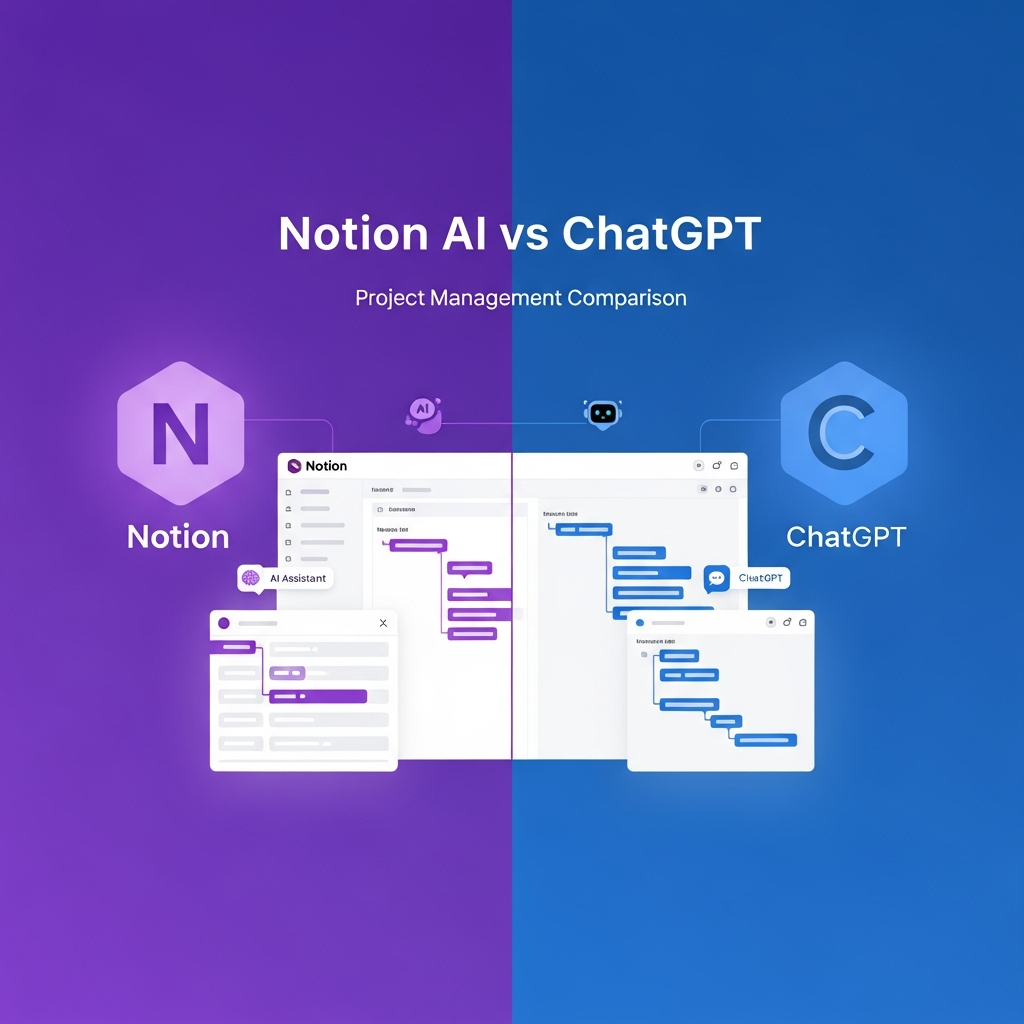
Your project management workflow already lives somewhere — Notion, Jira, a spreadsheet, or a dozen browser tabs. The real question isn't "which AI is smarter" but whether AI should be embedded in your existing workspace or available as a flexible external brain you pull in when needed.
We tested Notion AI and ChatGPT (GPT-5.3) across the PM workflows that eat the most time: sprint planning, stakeholder update drafts, resource allocation analysis, retrospective synthesis, and cross-team dependency tracking. Here's which tool fits each workflow — and when you actually need both.
Quick Verdict — By Workflow
| Workflow | Best Tool | Why |
|---|---|---|
| Sprint planning inside your workspace | Notion AI | Generates tasks directly in your databases, no copy-paste |
| Ad-hoc analysis & brainstorming | ChatGPT | Upload a spreadsheet, get a resource plan in 30 seconds |
| Stakeholder status reports | Notion AI | Pulls live data from your actual project boards |
| Custom PM automations & bots | ChatGPT | Build a GPT tailored to your team's exact process |
| Teams already in Notion | Notion AI | The AI is invisible, it's just part of the tool you already use |
| Everyone else | ChatGPT Plus | More flexible, works regardless of your PM stack |
🔍 Decision Matrix — Which Tool Fits Your Team?
Use this matrix to self-identify your best fit in under 60 seconds. Answer each row and tally your profile.
| Question | Your Answer | Points: Notion AI | Points: ChatGPT |
|---|---|---|---|
| Where do your tasks live? | Notion databases | 3 | 0 |
| Jira / Asana / Linear | 0 | 3 | |
| Multiple tools / spreadsheets | 0 | 3 | |
| What's your team size? | 1–5 people | 1 | 2 |
| 6–20 people | 2 | 2 | |
| 20+ people | 2 | 1 | |
| Do you have compliance requirements? | Yes (finance, healthcare, legal) | 3 | 1 |
| No | 1 | 1 | |
| What's your monthly budget? | Under $15/user | 2 | 1 |
| $15–30/user | 1 | 2 | |
| No budget constraint | 1 | 3 | |
| Who uses the tool most? | Non-technical team members | 3 | 1 |
| Mixed technical/non-technical | 2 | 2 | |
| Technical leads / PMs / consultants | 1 | 3 | |
| Do you need to share AI outputs with clients? | Yes, regularly | 1 | 3 |
| No / internal only | 2 | 1 |
Scoring: Add your points. 13+ → Notion AI. 10–12 → Both (use the workflow below). Under 10 → ChatGPT.
💡 Tip: Even if you score higher for ChatGPT, you can still use Notion AI as a free companion for any Notion workspace you already have — the two tools aren't mutually exclusive.
📊 Detailed Scoring Table (1–10)
| Dimension | Notion AI | ChatGPT (Plus/Team) | Notes |
|---|---|---|---|
| Workspace Integration | 9 | 4 | Notion AI lives inside your workspace. ChatGPT is external by default. |
| Reasoning Quality | 6 | 9 | ChatGPT handles multi-step planning, risk analysis, and strategy better. |
| Customization | 6 | 9 | Custom GPTs beat Notion AI's template approach for specialized PM needs. |
| Data Privacy | 9 | 6 | Notion AI only sees your workspace. ChatGPT sees whatever you paste. |
| Team Collaboration | 8 | 6 | Notion's shared workspace is built for teams. ChatGPT conversations are personal by default. |
| Cost Efficiency | 7 | 7 | Roughly equivalent for teams of 10. Notion slightly cheaper at small scale. |
| Learning Curve | 8 | 6 | Non-technical users find Notion AI easier. ChatGPT requires better prompting. |
| API Flexibility | 7 | 9 | Both offer APIs, but OpenAI's is far more mature and widely integrated. |
Overall PM Score: Notion AI — 57/80 | ChatGPT — 50/80
Notion AI wins on integration and ease of use. ChatGPT wins on reasoning and flexibility. The right choice depends on where and how you work.
Feature Comparison at a Glance
| Feature | Notion AI | ChatGPT (Plus/Team) |
|---|---|---|
| Native PM workspace | ✅ Databases, boards, timelines | ❌ No built-in workspace |
| AI summarization | ✅ In-context page summaries | ✅ Paste or upload content |
| Template generation | ✅ Auto-fills Notion templates | ✅ Generates any template as text |
| Task creation | ✅ Creates tasks in databases | ⚠️ Text-based, needs manual transfer |
| Sprint planning | ✅ Native with AI suggestions | ✅ Generates plans, no execution |
| Status reports | ✅ Pulls live project data | ⚠️ Requires manual data input |
| File analysis | ⚠️ Limited to Notion content | ✅ PDFs, spreadsheets, images |
| Integrations | ✅ Slack, GitHub, Jira, Figma | ✅ Via GPTs, plugins, API |
| Custom GPTs/bots | ❌ Not available | ✅ Build custom PM assistants |
| Offline access | ⚠️ Limited | ❌ Requires internet |
| API access | ✅ Notion API | ✅ OpenAI API |
| Data stays in-house | ✅ Workspace-scoped | ⚠️ Data sent to OpenAI unless API |
| Multi-language PM | ⚠️ Basic | ✅ Strong multilingual reasoning |
Notion AI for Project Management
🏷️ Best for: Teams already in Notion, async-first organizations, non-technical PMs, compliance-heavy industries
What It Does Well
Notion AI lives inside your workspace. That's its superpower. It can:
- Summarize project pages — Highlight blockers, recent updates, and action items from lengthy docs
- Generate status reports — Pull data from your databases to draft weekly updates automatically
- Auto-fill templates — Create project briefs, PRDs, meeting notes, and retrospectives with one click
- Answer questions about your workspace — "What tasks are overdue in Q1?" gets a real answer
- Draft content in context — Write directly in your project docs without switching tools
Deep Dive: Notion AI in Real PM Scenarios
Scenario 1: Remote Sprint Planning with a Distributed Team
The situation: You're a PM with 7 engineers across 3 time zones (Berlin, Austin, Singapore). You need to plan a 2-week sprint. The team uses Notion for all docs and a Notion database for the backlog.
How Notion AI handles it (~12 minutes total):
- You open the sprint planning page and ask Notion AI: "Generate sprint goals for a 2-week sprint focusing on the auth rework. Prioritize by dependencies."
- Notion AI reads your backlog database, identifies tasks tagged "auth" and "P1," and drafts 5 sprint goals with estimated effort points (it reads the
estimateproperty from your database). - You paste the team availability matrix (who's out which days) into the page and ask Notion AI to assign tasks to balance load across time zones.
- Notion AI drafts standup schedule suggestions and a kickoff message for Slack.
- You review, adjust, and hit publish. The sprint board is ready.
Time: ~12 minutes | Output quality: High — it's working with real data
The catch: Notion AI can't negotiate priorities between stakeholders or flag unrealistic scope. You'll still need to make judgment calls.
Scenario 2: Quarterly OKR Setting with Multiple Stakeholders
The situation: Your company runs quarterly OKRs. Finance, Engineering, Marketing, and Sales each submit 3 objectives. You need to consolidate, check for conflicts, and draft the company-wide OKR doc.
How Notion AI handles it (~20 minutes):
- Each team creates their OKR page in the shared Notion workspace using the company OKR template.
- You create a consolidated view and ask Notion AI: "Summarize all submitted OKRs and identify any dependencies or conflicts between teams."
- Notion AI reads all 12 submitted objective pages, flags where Marketing's "launch new website" OKR depends on Engineering's "platform migration," and where Sales' revenue target conflicts with Engineering's reduced headcount that quarter.
- You ask it to draft a company-wide OKR summary with prioritization rationale.
- You share the draft in the leadership channel for review.
Time: ~20 minutes | Output quality: Good for first-pass consolidation; still needs human alignment on priorities
💡 Pro tip: Notion AI works best for OKR management when every team uses the same Notion template and database structure. Inconsistent formatting breaks the AI's ability to synthesize across teams.
Where It Falls Short
- Limited to Notion's ecosystem — If your data isn't in Notion, the AI can't access it
- No custom AI agents — You can't build specialized PM bots like ChatGPT's custom GPTs
- Weaker reasoning — Complex scenario planning and risk analysis aren't as strong as ChatGPT
- AI features gated behind paid plan — Requires the AI add-on ($10/member/month)
- No native Gantt or resource view — You can build them, but it's DIY
- Response quality drops on very long pages — Best for docs under ~5,000 words
Best Use Cases
- Teams already running projects in Notion
- Automated meeting notes and action item extraction
- Quick database queries and filtering
- Generating first drafts of project documentation
- Async-first teams who live in shared docs
ChatGPT for Project Management
🏷️ Best for: Multi-tool stacks, strategic planning, PM consultants, technical teams, cross-platform workflows
What It Does Well
ChatGPT is a Swiss Army knife that you shape to your needs:
- Complex planning — Break down multi-quarter initiatives into phases, milestones, and dependencies
- Risk analysis — Identify potential blockers and suggest mitigation strategies
- Custom GPTs — Build dedicated PM assistants trained on your methodology (Agile, Waterfall, SAFe)
- File analysis — Upload Gantt charts, budgets, or reports for instant analysis
- Stakeholder communication — Draft executive summaries, emails, and presentations
- Multi-tool integration — Connect via Zapier, Make, or the API to dozens of PM tools
Deep Dive: ChatGPT in Real PM Scenarios
Scenario 3: Crisis Management — Production Outage Response
The situation: Your SaaS product is experiencing a major outage. Revenue is bleeding. You have 45 minutes to: assess scope, communicate to stakeholders, assign response tasks, and plan the post-mortem.
How ChatGPT handles it (~10 minutes):
- You open a new ChatGPT conversation and paste in the error logs (a 200-line JSON dump) and the last 3 hours of customer complaints from Intercom.
- You ask: "Analyze these error logs and customer complaints. What's the likely root cause, what's the blast radius, and what are the top 3 immediate actions?"
- ChatGPT identifies a database connection pool exhaustion pattern, estimates ~12% of users are affected, and recommends: restart the pool, enable rate limiting, and prepare a customer-facing status page update.
- You ask it to draft a stakeholder update for the executive team (5 bullet points, no jargon).
- You ask it to draft post-mortem section headers with guiding questions for each.
- You paste this into Slack and your incident doc.
Time: ~10 minutes | Output quality: Strong analysis, good first drafts | Limitation: ChatGPT doesn't do anything — you still have to execute
⚠️ Gotcha: In an actual outage, every minute counts. The time savings here depend on you being a strong communicator and fast typist. If you're also the one executing the fix, this workflow becomes a bottleneck.
Scenario 4: Client-Facing Agency Project Tracking
The situation: You're a PM at a digital agency managing 4 active client projects. Each client has a different methodology (one Agile, one Waterfall, two hybrid). You need to produce client-ready status reports weekly, track billable hours vs. scope, and flag scope creep.
How ChatGPT handles it (~15 minutes per report, but you're doing 4 in parallel with custom GPTs):
- You have a custom GPT called "Agency PM Assistant" pre-loaded with your: statement of work templates, scope boundaries for each project, client communication tone guidelines, and hourly burn rate formulas.
- For each client, you paste the weekly timesheet summary and project update notes into the custom GPT.
- You ask it to: flag any hours approaching scope limits, draft a client-facing status update in the right tone, and identify any scope creep signals.
- The custom GPT outputs a client-ready update in under 5 minutes.
- You review and send. Total time for all 4 clients: ~20 minutes of your time plus the GPT processing.
Time: ~20 minutes total (vs. 60–90 minutes manually) | Output quality: Good with a well-tuned custom GPT
The edge here is scale. Without the custom GPT setup (which takes ~2 hours upfront), you'd be doing this from scratch each time. The investment pays off from week 3 onward.
Scenario 5: Cross-Functional Dependency Mapping
The situation: Your company is launching a new feature in 10 weeks. Engineering, Marketing, Legal, and Sales all have deliverables with dependencies: Marketing can't launch the campaign until Legal approves the copy, Sales can't sell it until Engineering ships it, etc.
How ChatGPT handles it (~20 minutes):
- You give ChatGPT a structured list of all deliverables: what they are, who's responsible, when they're due, and which ones block others.
- You ask: "Map the dependencies between these 24 deliverables. Identify the critical path. What happens if the legal review slips by 2 weeks? What's the new critical path?"
- ChatGPT outputs a dependency graph (as ASCII art) and a revised timeline based on the slip scenario.
- You ask it to draft a stakeholder presentation explaining the impact of the delay with a recommended mitigation plan.
- You copy the graph into your slide deck and present.
Time: ~20 minutes | Output quality: Good for a first pass, but verify — AI can miss subtle cross-team nuances
💡 Tip: For complex dependency maps, use ChatGPT's Canvas feature or ask it to output in a format you can paste into a visualization tool like FigJam or Miro. The text output is a starting point, not the final artifact.
Where It Falls Short
- No native workspace — Everything happens in chat; you must transfer outputs manually
- No live project data — Can't pull your current sprint status without manual input or API setup
- Context window limits — Long projects may exceed the conversation context
- Requires discipline — Without structure, conversations become scattered and hard to reference
- Team collaboration is an afterthought — Shared GPTs exist but aren't as seamless as shared Notion spaces
- Prompt dependency — Quality of output depends heavily on how well you prompt; teams without prompt literacy will struggle
Best Use Cases
- Strategic planning and initiative breakdown
- Teams using multiple tools (Jira, Asana, Linear) who need a flexible AI layer
- Building custom PM workflows via the API
- Analyzing uploaded project documents and spreadsheets
- PM consultants serving multiple clients
Edge Cases — When One Tool Clearly Wins
Notion AI wins outright when:
- Your entire team works in Notion and you need zero-friction AI assistance
- You're in a regulated industry and need to pass a compliance audit — the contained data model is easier to document
- You need to generate a status report from live database data in under 2 minutes
- Your team is non-technical and you can't expect them to write good prompts
ChatGPT wins outright when:
- You're a PM consultant with clients on different stacks — you need one tool that works everywhere
- You need to analyze uploaded files (spreadsheets, PDFs, images) as part of your workflow
- You're doing strategic planning that requires multi-step reasoning and scenario modeling
- You need custom AI workflows that don't exist in any native PM tool
- You need strong multilingual capabilities for global teams
Pricing Comparison (2026)
| Plan | Notion AI | ChatGPT |
|---|---|---|
| Free tier | Basic AI, limited queries | GPT-4o with usage caps |
| Individual | $10/month (AI add-on) | $20/month (Plus) |
| Team | $10/member/month + base plan | $25/user/month (Team) |
| Enterprise | Custom pricing | Custom pricing |
| API cost | Notion API (free) + AI add-on | Pay-per-token (varies) |
Cost analysis for a 10-person team:
- Notion AI: ~$200/month ($10 workspace + $10 AI × 10 members)
- ChatGPT Team: ~$250/month ($25 × 10 members)
Notion AI is slightly cheaper, but ChatGPT Team includes higher usage limits and custom GPT sharing across the team.
ROI reality check: Most PM teams report saving 5–8 hours per week across the team once AI is embedded in their workflow. At $25–50/user/month in tool costs, that's a net positive if your team's time is worth $50+/hour. For a team of 10 at $75/hour opportunity cost, saving 6 hours/week = ~$2,250/week in recovered time vs. $250/month in tool costs.
Workflow Integration
Notion AI Integrations
- Native: Slack, GitHub, GitLab, Jira, Figma, Google Drive
- Automation: Built-in database automations + Notion API
- Strength: Everything stays in one platform
ChatGPT Integrations
- Native: Browse, Code Interpreter, DALL-E, file uploads
- Via Custom GPTs: Connect to any API endpoint
- Via Zapier/Make: 5,000+ app connections
- Strength: Connects to virtually any tool in your stack
Template Comparison
Both tools excel at generating project management templates, but in different ways.
Notion AI generates templates that are immediately usable inside your workspace:
- Project tracker databases with pre-configured properties
- Sprint boards with status automations
- OKR tracking pages linked to team databases
- Meeting notes templates that auto-tag attendees
ChatGPT generates templates as structured text you can adapt anywhere:
- Detailed project charters with risk matrices
- RACI charts and stakeholder maps
- Custom retrospective formats (4Ls, Start-Stop-Continue, Sailboat)
- Resource allocation spreadsheets
Real-World Scenario: Planning a Product Launch
We tested both tools on the same task: Plan a SaaS product launch in 8 weeks with a 5-person team.
Notion AI Result
- Created a timeline database with 8 weekly milestones
- Auto-populated task assignments based on team roles
- Generated a launch checklist page linked to the timeline
- Produced a stakeholder update template
- Time to usable plan: ~10 minutes
ChatGPT Result
- Generated a comprehensive launch strategy document (2,500 words)
- Included risk analysis with probability/impact matrix
- Provided a detailed week-by-week breakdown with dependencies
- Suggested KPIs and success metrics
- Time to usable plan: ~5 minutes (but required manual transfer to PM tool)
Winner: Notion AI for execution speed; ChatGPT for strategic depth.
Pros and Cons Summary
Notion AI
| Pros | Cons |
|---|---|
| ✅ Lives in your workspace | ❌ Locked to Notion ecosystem |
| ✅ Real-time project data access | ❌ Weaker complex reasoning |
| ✅ Instant template creation | ❌ No custom AI agents |
| ✅ Team collaboration built-in | ❌ AI add-on cost per member |
| ✅ Lower learning curve | ❌ No native Gantt view |
| ✅ Contained data = easier compliance | ❌ Quality drops on long docs |
ChatGPT
| Pros | Cons |
|---|---|
| ✅ Powerful reasoning and planning | ❌ No native workspace |
| ✅ Custom GPTs for PM | ❌ Manual data transfer required |
| ✅ Analyzes uploaded files | ❌ No live project data |
| ✅ Connects to any tool via API | ❌ Can feel scattered without discipline |
| ✅ Better for strategic, multi-step analysis | ❌ Requires prompt literacy |
| ✅ Superior multilingual reasoning | ❌ Context window limits on long projects |
Security & Data Privacy for PM Teams
Project management data is sensitive — roadmaps, revenue targets, staffing plans, and client details. Where your AI processes that data matters.
| Concern | Notion AI | ChatGPT |
|---|---|---|
| Data residency | US (AWS), EU option for Enterprise | US-based processing |
| Training on your data | ❌ Not used for training | ❌ Team/Enterprise: not trained on. Plus: opt-out available |
| SOC 2 Type II | ✅ | ✅ |
| SSO/SAML | ✅ Business+ | ✅ Enterprise |
| Audit logs | ✅ Enterprise | ✅ Enterprise |
| Data scope | Only your workspace pages | Whatever you paste/upload per conversation |
Key takeaway: Notion AI has a natural advantage here — it only sees what's already in your Notion workspace, so there's no risk of accidentally pasting confidential data into an external tool. ChatGPT Team and Enterprise plans have strong privacy controls, but it requires discipline from every team member to not share sensitive data in personal Plus accounts.
For regulated industries (finance, healthcare), Notion AI's contained data model is often easier to get past compliance review.
The "Use Both" Workflow — How Top Teams Actually Operate
🏷️ This is the power move. Most high-performing PM teams in 2026 aren't choosing one or the other.
Weekly Cadence
- Monday planning (ChatGPT): Upload last week's velocity data and sprint backlog. Ask ChatGPT to identify capacity risks, suggest story point allocations, and flag dependency conflicts across teams. Export the plan.
- Daily execution (Notion AI): Tasks live in Notion databases. Notion AI handles standup summaries, auto-generates blockers lists from status updates, and drafts async check-in messages for Slack.
- Wednesday stakeholder update (Notion AI): One click generates a status report pulling live data from project boards — no manual data gathering.
- Friday retro synthesis (ChatGPT): Paste retro notes from multiple teams. ChatGPT finds patterns across 3–4 retros, identifies systemic issues, and drafts improvement proposals with prioritization.
Monthly Cadence (Strategic)
- Quarterly planning (ChatGPT): Synthesize OKRs from all teams, model scenarios, draft company-wide narrative.
- Monthly reporting (Notion AI): Generate the automated dashboard narrative pulling from live database metrics.
- Executive presentations (ChatGPT → Notion): Ask ChatGPT to draft the narrative and slide talking points, then build the presentation in Notion pages.
Why This Works
- Notion AI excels at repetitive, workspace-scoped tasks where context is already stored
- ChatGPT excels at cross-cutting analysis where you need to synthesize information from multiple sources or think strategically
- Neither tool replaces the other — they cover different cognitive tasks in the PM workflow
💡 Implementation tip: Start with one workflow. Pick the single PM task that eats the most of your time each week and automate it with one tool first. Then expand. Trying to automate everything at once leads to abandoned workflows.
Decision Framework — Pick by Team Profile
| Team Profile | Pick | Why |
|---|---|---|
| All-in-one Notion shop (docs, tasks, wiki all in Notion) | Notion AI | Maximum leverage from existing data |
| Multi-tool stack (Jira + Confluence + Slack + Sheets) | ChatGPT | Flexible layer across fragmented tools |
| Solo PM / freelance consultant | ChatGPT | More versatile, lower per-seat cost |
| Enterprise with compliance requirements | Notion AI | Contained data model, easier audit |
| Remote-first async team | Notion AI | In-context AI in async docs is powerful |
| Agency managing multiple clients | ChatGPT | Custom GPTs per client methodology |
| Technical team (eng-heavy) | Both | Notion for execution, ChatGPT for architecture planning |
| Non-technical team (marketing, ops) | Notion AI | Lower learning curve, no prompt engineering needed |
| Early-stage startup (under 5 people) | ChatGPT | Faster setup, more versatile for tight budgets |
| PMO managing enterprise programs | Both | Different tools for different PMO layers |
Our Verdict
Choose Notion AI if your team already lives in Notion and you want AI that understands your project data without manual input. It's the best choice for execution-focused teams who value speed and integration over flexibility.
Choose ChatGPT if you need a more powerful reasoning engine for strategic planning, work across multiple PM tools, or want to build custom AI workflows. It's ideal for PM leads and consultants who need versatility.
The power move? Use both. Notion AI for daily execution and workspace automation, ChatGPT for strategic planning and cross-tool analysis. Many teams in 2026 are doing exactly this — and the two tools complement each other better than any alternative pairing.
Not sure which AI tool fits your workflow? Try our AI recommendation quiz to get a personalized suggestion in under 2 minutes.
Frequently Asked Questions
Can Notion AI replace a project manager?
No. Notion AI automates repetitive PM tasks — status reports, standup summaries, template generation — but it can't make judgment calls about priorities, navigate stakeholder politics, or coach team members. Think of it as a PM assistant that handles the busywork so you can focus on decisions. The judgment work is still irreducibly human.
Is ChatGPT secure enough for project management data?
On ChatGPT Team and Enterprise plans, your data isn't used for training and conversations are encrypted. However, you need team discipline — if someone uses a personal Plus account to discuss project details, those protections don't apply. Set a clear policy about which account to use for work. For highly sensitive roadmaps or financial data, use the API route instead, which gives you explicit data control.
Can I migrate my existing PM data to Notion and then use Notion AI?
Yes, but plan for 2–4 weeks of migration work depending on data volume. Notion has migration tools for Trello, Asana, and CSV imports. Jira requires a third-party sync solution or the API. The AI benefit only kicks in once your data is in Notion and consistently structured — a messy migration produces a messy AI experience. Consider hiring a Notion consultant for complex enterprise migrations.
How does Claude compare to ChatGPT for project management?
Claude (especially Claude Opus 4) is strong for PM analysis — arguably better than ChatGPT at synthesizing long documents and maintaining nuance in stakeholder communications. But it lacks ChatGPT's custom GPT ecosystem for building reusable PM workflows. See our ChatGPT vs Claude 2026 comparison for the full breakdown.
What about Microsoft Copilot for PM teams on Microsoft 365?
If your team runs on Microsoft 365 (Teams, Planner, SharePoint), Copilot is the Notion AI equivalent — AI embedded in your existing workspace. It's strong for M365 shops but less flexible than ChatGPT for cross-platform teams. Copilot's PM-specific features are still maturing compared to Notion AI's established template library. We'll publish a dedicated Copilot vs Notion AI comparison soon.
Does Notion AI work with Jira or Linear?
Notion has native integrations with Jira, GitHub, and GitLab that sync data into Notion databases. Once synced, Notion AI can query and summarize that data. It's not real-time bidirectional — think of it as a read layer that makes your Jira data queryable via AI inside Notion. For true bidirectional sync, look at paid tools like Unito or the Notion API with a middleware solution.
What's the total cost for a 10-person team using both tools?
Roughly $450/month: Notion Business with AI ($200/month for 10 members) plus ChatGPT Team ($250/month for 10 users). Whether that's worth it depends on how much PM busywork you're automating — most teams report saving 5–8 hours per week across the team, which pays for itself quickly. The break-even threshold is roughly 3 hours/week saved at average team rates.
How do I get my team to actually use these tools?
Adoption is the hardest part. Start with one pain point: pick the PM task your team hates most (usually status reports or sprint planning) and make that the first AI workflow. Measure time saved and share it. Then expand. Resistance usually comes from teams feeling like AI is being imposed — frame it as "this removes the boring part of your job," not "you're being replaced by AI."
When should I use the API instead of the chat interface?
Use the API when: (1) you need to embed AI into a custom internal tool, (2) you need stronger data privacy controls than the consumer/team plans offer, (3) you're building an automated workflow that runs without human-in-the-loop. The API requires developer time to set up but pays off for teams with technical capacity. For most PMs, the chat interface is sufficient.
What are the biggest gotchas in day-to-day PM use?
Notion AI: AI suggestions can be confidently wrong — always verify dates, estimates, and assignments before publishing. Don't let the "this looks done" feeling from an AI-generated page trick you into skipping review. ChatGPT: Conversations are siloed. If you close a chat, the context is gone unless you saved it. Use shared custom GPTs for team-reusable workflows. Also: ChatGPT doesn't know your project state unless you tell it. Always paste the relevant context before asking.
What does the future look like for AI in project management?
Both Notion and OpenAI are moving toward agentic AI — models that can take actions, not just generate text. Expect Notion AI to gain the ability to actually update database properties and trigger automations autonomously. Expect ChatGPT's custom GPTs to become more action-oriented via plugin integrations. The gap between "AI that talks about your project" and "AI that does project management tasks" is closing fast. Teams investing in AI workflows now will be ahead of the curve.
Looking for a deeper dive into AI assistants? Check out our ChatGPT vs Claude 2026 comparison for a full breakdown of the two leading general-purpose AI tools. For a broader overview of all chatbots, see our best AI chatbots 2026 roundup. If your project management involves data-heavy reporting, our best AI data analysis tools guide covers the top options. And for teams evaluating AI across the whole organization, our best AI tools for small business 2026 guide is a good starting point.
Not sure which tool is right for you?
Answer a few quick questions and we'll recommend the best AI tool for your specific needs.
Take our 60-second quiz →